
Most phones that die early in Indonesia are not dropped. They are cooked on a dashboard, charged under a pillow, or put away damp. This page covers the everyday habits that keep an older HTC handset, or any phone, working for longer.
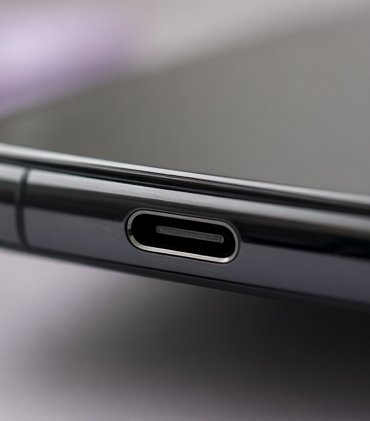
Heat is the battery’s real enemy
Lithium-ion cells lose capacity faster when they are kept hot, and faster still when they are hot and full at the same time. In a country where a parked car can climb well past 50 °C inside, the habits that matter most are simple:
- Never leave the phone on a car dashboard or in a closed car in the sun.
- Charge on a hard, open surface. Not on a bed, under a pillow or inside a bag.
- If the phone feels hot while charging, unplug it, take off a thick case and let it cool in the shade.
- Avoid gaming or navigation while fast charging on a hot day. Two heat sources add up.
- For a spare phone you will store for months, leave it around half charged and check it every few weeks.
Chargers, cables and the 230 V supply
Indonesian sockets supply about 230 V at 50 Hz, usually through round two-pin plugs. Phone chargers sold for the region handle this without trouble. What causes problems is a frayed cable, a cheap unbranded adapter that runs very hot, or a loose travel plug that sparks in the socket.
| Sign | What it usually means | What to do |
|---|---|---|
| Charger is too hot to hold | Poor adapter or blocked airflow | Stop using it and replace it |
| Charging starts and stops | Lint in the port or a worn cable | Inspect the port, try another cable |
| Phone warns about moisture | Water in the port | Unplug and let it dry fully |
| Battery swells or the back lifts | Battery failure | Stop charging; have a technician replace it |
A swollen battery is a hazard. Do not press it back into place, puncture it or keep charging it. Power the phone off, keep it away from anything flammable and take it to a qualified repair technician.
When the phone gets wet
Afternoon downpours catch everyone. Water resistance ratings, where a phone has them, apply to fresh water in lab conditions and weaken as seals age. Treat any older handset as if it has no protection at all.
- Switch it off straight away. Do not test it by turning it on.
- Remove the case and eject the SIM tray with the pin.
- Wipe the outside with a clean, dry cloth. Hold the ports facing down and tap gently to let water out.
- Leave it in moving, room-temperature air, such as in front of a fan, for at least a day. A sealed box with fresh silica gel helps.
- Do not use a hair dryer on a hot setting, an oven or the sun. Heat can damage adhesives and the battery.
Rice is a popular trick, but it is slow, does little to pull water out of the inside and can leave starch dust in ports and grilles.
Dust, sand and salt
Beach trips and motorbike rides add grit. Brush ports and speaker grilles with a soft, dry brush. Do not push pins or toothpicks into the charging port; the contacts are delicate. After the beach, wipe the phone with a cloth that is barely damp with fresh water, then dry it, rather than rinsing it under a tap.
Screens, cases and protectors
Tempered-glass protectors are cheap insurance on a phone that rides in a pocket with keys and coins. Choose a case that leaves the port and speaker clear, and take it off now and then: trapped sand and moisture under a case can scratch the back and hold damp against the frame.
Older HTC handsets and software
Many HTC phones still in use in Indonesia no longer receive security updates. That does not make them useless, but it does change how you use them. Keep banking and payment apps on a phone that is still updated, install apps only from the built-in app store, and set a screen lock.